
This guide will walk you through installation notes, troubleshooting tips, and special features for installing your VHEDIA head unit into a Toyota Hilux 2015+.
Installation Video
Which Wire Goes Where
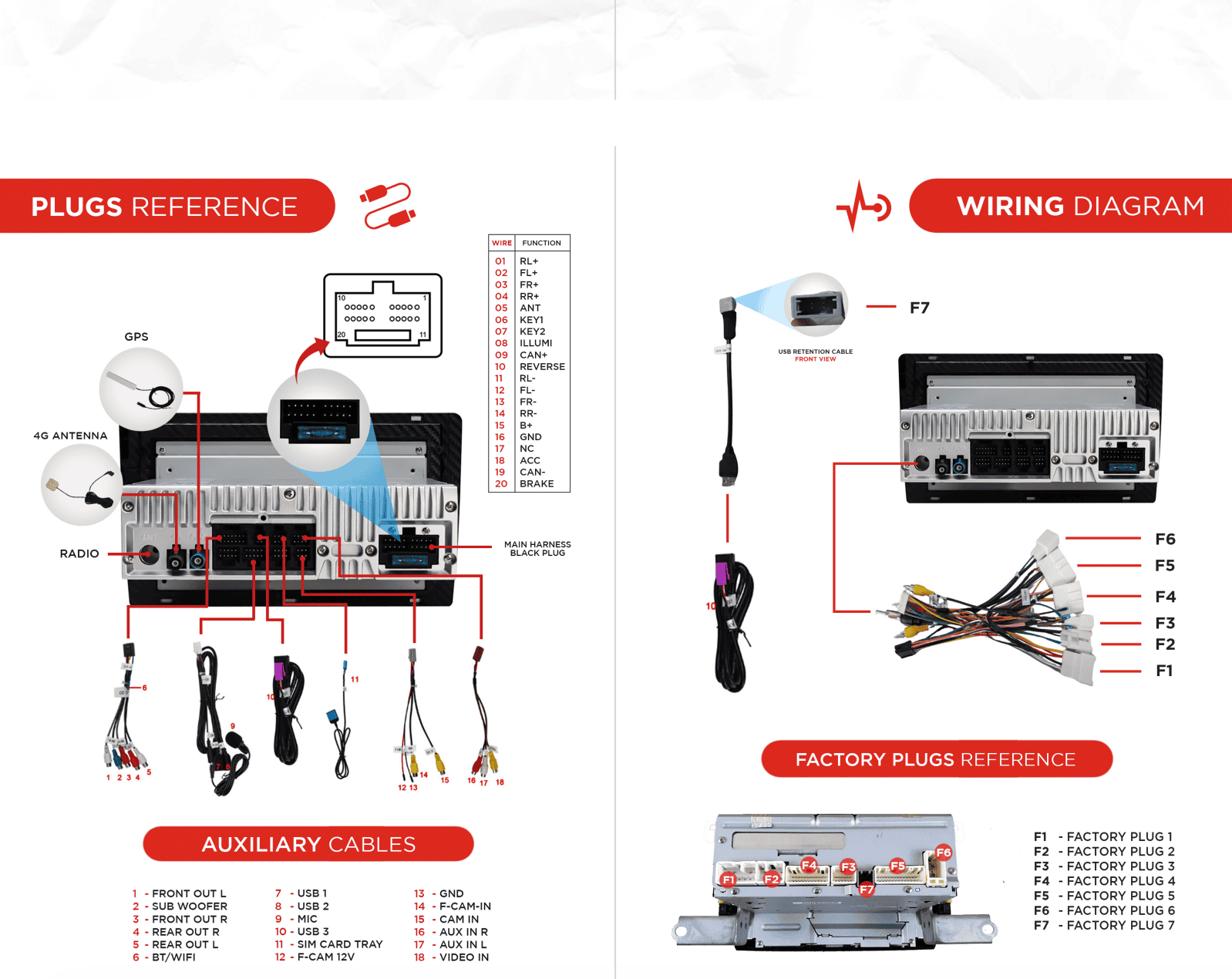
Common Issues & Fixes
Factory Camera Settings
Factory Camera – Static Display
If the camera works but the screen shows static:
Go to Settings > Car Infotainment > About Device > Fill in password 8878 > Backcar Setup.
Cam Type, select (0 CVBS) > CamFormat, select (1: NTSC or 2: PAL) choose the one based on what your factory camera uses but majority uses NTSC.
Tap SAVE > OK to reboot.
Your reverse camera should start working after the reboot.
Reverse Camera Showing No Signal (Triggering But No Display)
Ensure that you have plugged in the purple CAM IN RCA cable. Once done, please plug the pointed plug on the picture below into the CANBUS module.

Hand or Parking Brake Light Staying On
If you are experiencing an issue where the parking or handbrake light stays on continuously on the dashboard, follow these steps to resolve it. This involves cutting or pulling out the pink wire from the included harness of the head unit.
1. Locate the Pink Wire
Identify the harness included with your VHEDIA head unit. The pink wire should be clearly visible within this harness.
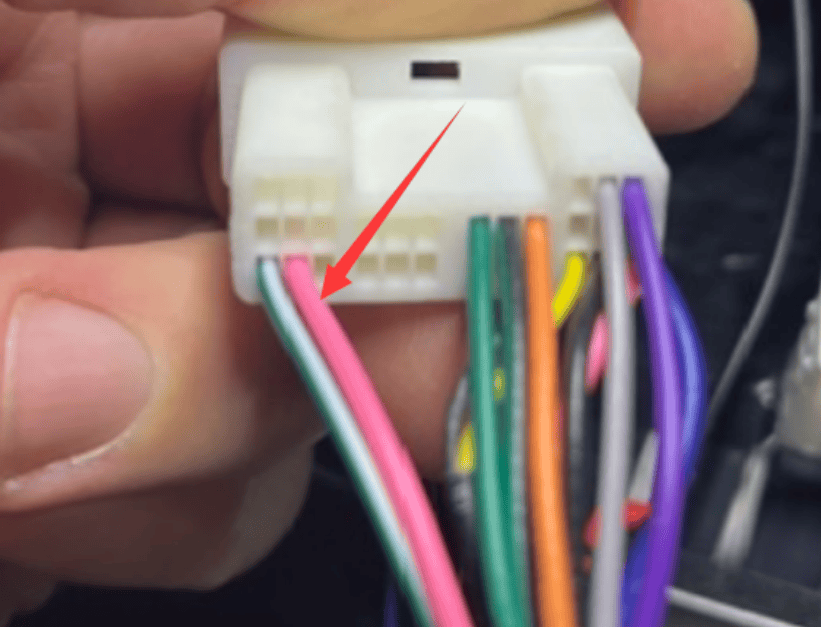
2. Choose Your Method
Cut the Wire:
Using a wire cutter, carefully cut the pink wire. Ensure the cut is clean and there are no loose strands.
Secure the ends of the cut wire with electrical tape or a wire cap to prevent any short circuits or unintended connections.
Pull Out the Wire:
Firmly but gently pull the pink wire out of the harness. Ensure it is fully disconnected from the rest of the wiring.
3. Test the Fix
Start the car and check the dashboard to ensure the hand or parking brake light is now functioning correctly and does not stay on.
4. Install the Head Unit
Once everything is done and checked that all plugs have been put correctly, sit the head unit and the AC controls in place and piece everything back together.
Factory AM/FM Radio Quality Issue
This guide provides instructions for installing the Toyota Dual Radio Plug.
When you receive our kit, you'll find a dual radio plug adapter included. This component is designed to enhance radio reception in our head unit. While in the future, all our harnesses will come equipped with the dual one, if what you have in our cable harness is a single one, follow these instructions for optimal performance.
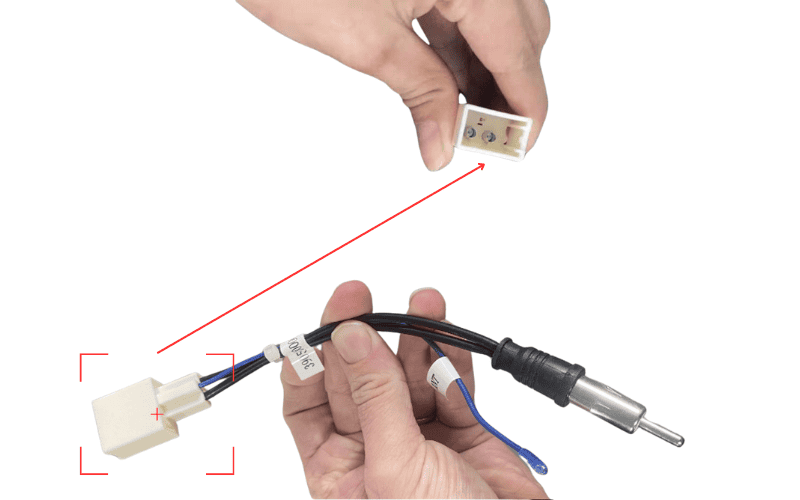
Wiring Diagram:

Installation Steps:
Verify Compatibility
Before proceeding, ensure that the Toyota Dual Radio Plug is compatible with your vehicle's factory radio. If uncertain, check the factory radio plug or reach out to us for assistance.
Preparation
If you have the dual radio plug adapter separate from the harness, you'll need to integrate it to the radio plug on our harness for improved reception.
Locate the blue wire from the radio plug of our harness.
Cut the blue wire.
Connect the blue wire from the dual one to the cut end of the old blue wire you just cut.
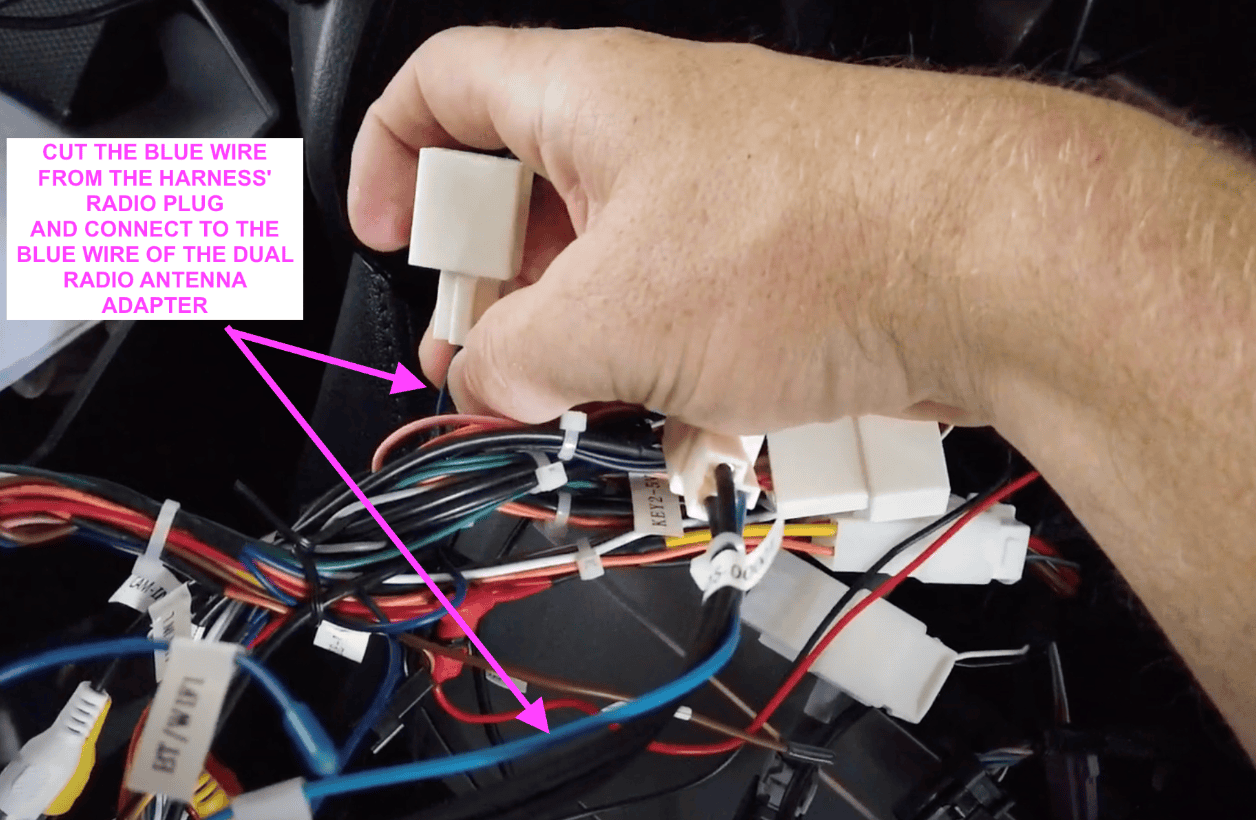
5. You're done! Test the radio and should be as good as the factory one.
Need further assistance? Reach us out on our support channels:
Live Chat on our website (https://vhedia.com.au/): Mon–Fri, 7 AM–5 PM (Perth time)
Phone Support: 1800 577 415, Mon–Fri, 7 AM–3 PM (Perth time)
Email: hey@vhedia.com.au