
This guide will walk you through installation notes, troubleshooting tips, and special features for installing your VHEDIA head unit into a Toyota Prado GXL 2009-2013.
Installation Video
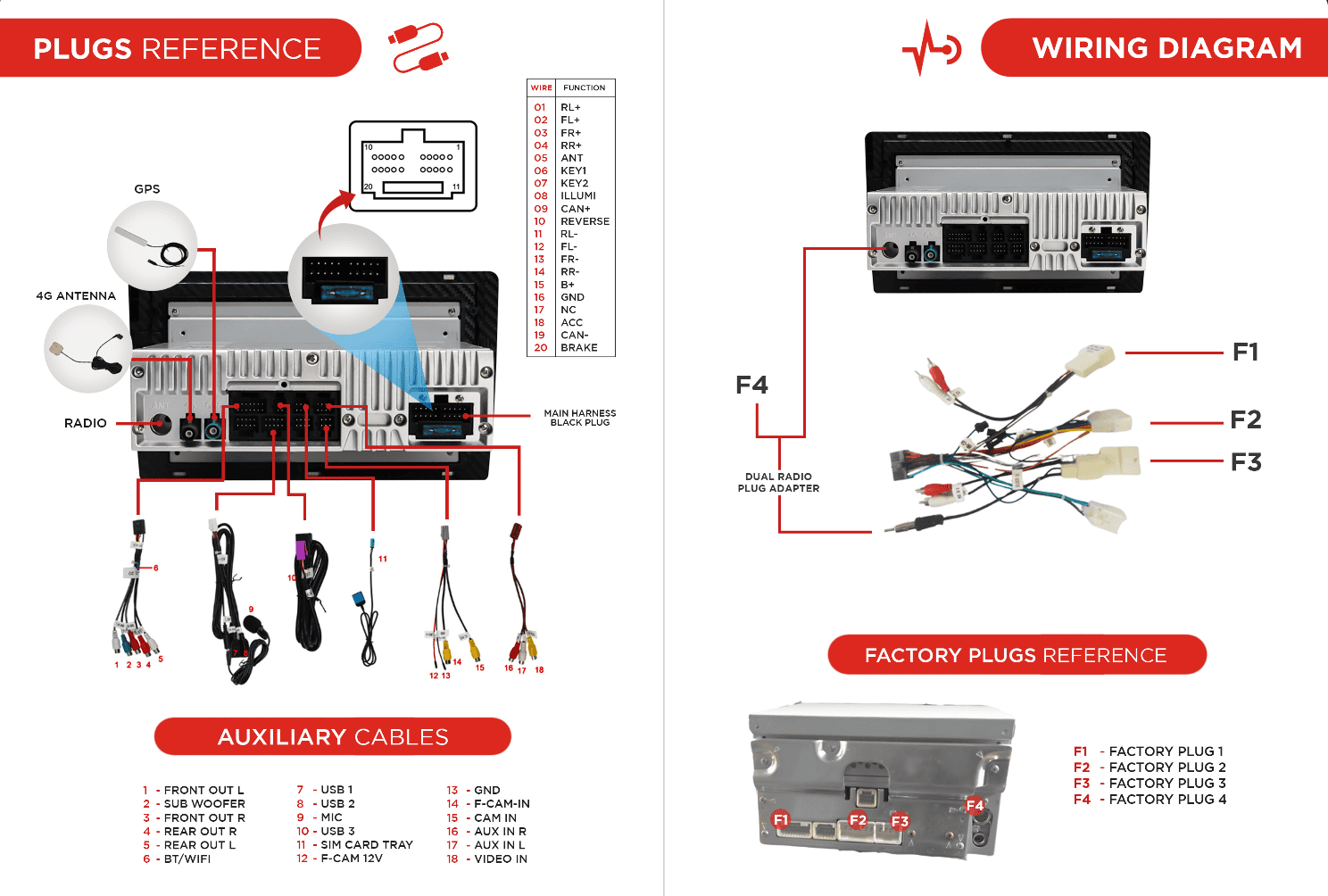
Which Wire Goes Where
Common Issues & Fixes
Factory Camera Settings
Factory Camera – Static Display
If the camera works but the screen shows static:
Go to Settings > Car Infotainment > About Device > Fill in password 8878 > Backcar Setup.
Cam Type, select (0 CVBS) > CamFormat, select (1: NTSC or 2: PAL) choose the one based on what your factory camera uses but majority uses NTSC.
Tap SAVE > OK to reboot.
Your reverse camera should start working after the reboot.
Reverse Camera - Glitchy/Stuck
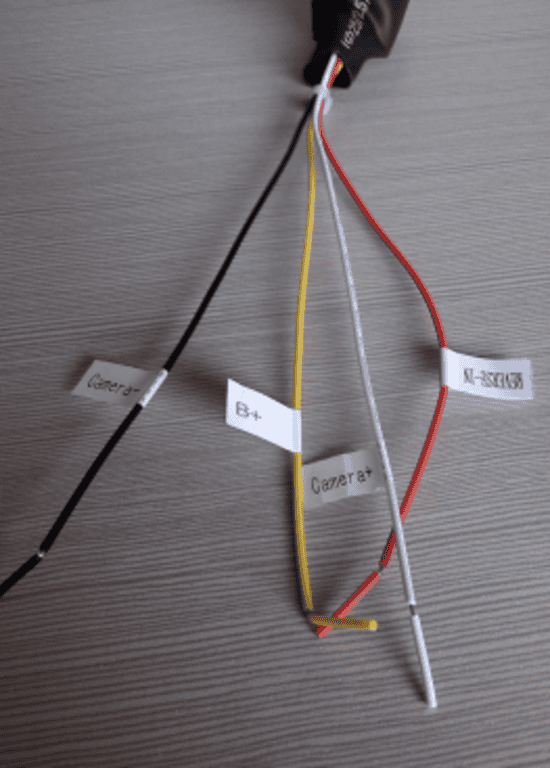
For this one, you need to use the relay cable included in the kit.
Black Wire (Ground) - connect to black wire from main 20-pin harness
Yellow Wire (B+) - connect to yellow B+ wire from main 20-pin harness
Red Wire - connect to orange/black REVERSE IN wire from main 20-pin harness
White Wire - connect to your car reverse light wire, should have 12v when you put gear in reverse
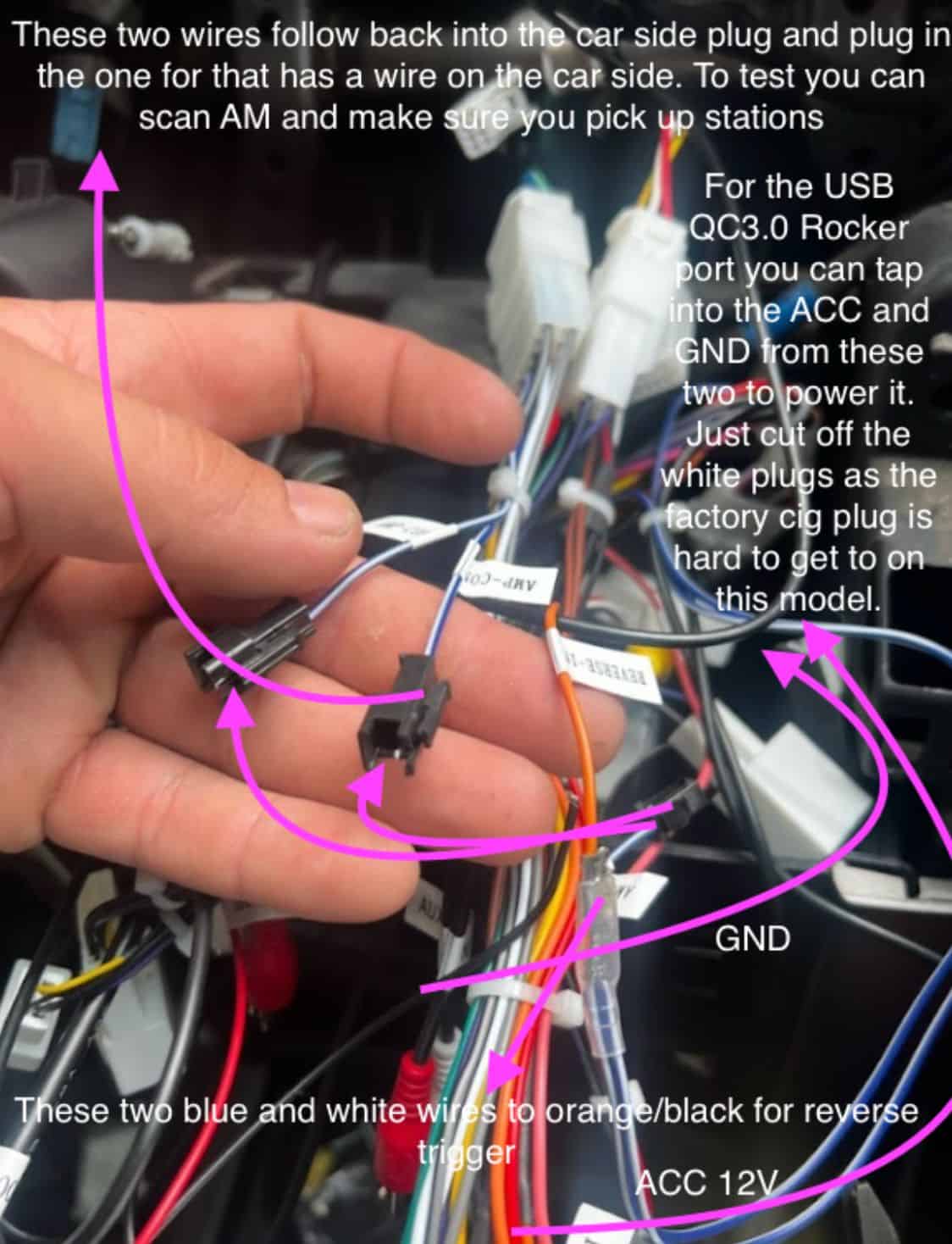
Can't Pick Up AM Stations, Where To Plug The Reverse Camera Trigger, How To Wire the Rocker Panel
If you an MT-1705NC head unit and have the following issues, please see the reference picture below:
Need further assistance? Reach us out on our support channels:
Live Chat on our website (https://vhedia.com.au/): Mon–Fri, 7 AM–5 PM (Perth time)
Phone Support: 1800 577 415, Mon–Fri, 7 AM–3 PM (Perth time)
Email: hey@vhedia.com.au